> For the complete documentation index, see [llms.txt](https://linemasters-organization.gitbook.io/linemaster-2.4ghz-zephyr/llms.txt). Markdown versions of documentation pages are available by appending `.md` to page URLs; this page is available as [Markdown](https://linemasters-organization.gitbook.io/linemaster-2.4ghz-zephyr/programing/home-screen.md).
# Home screen
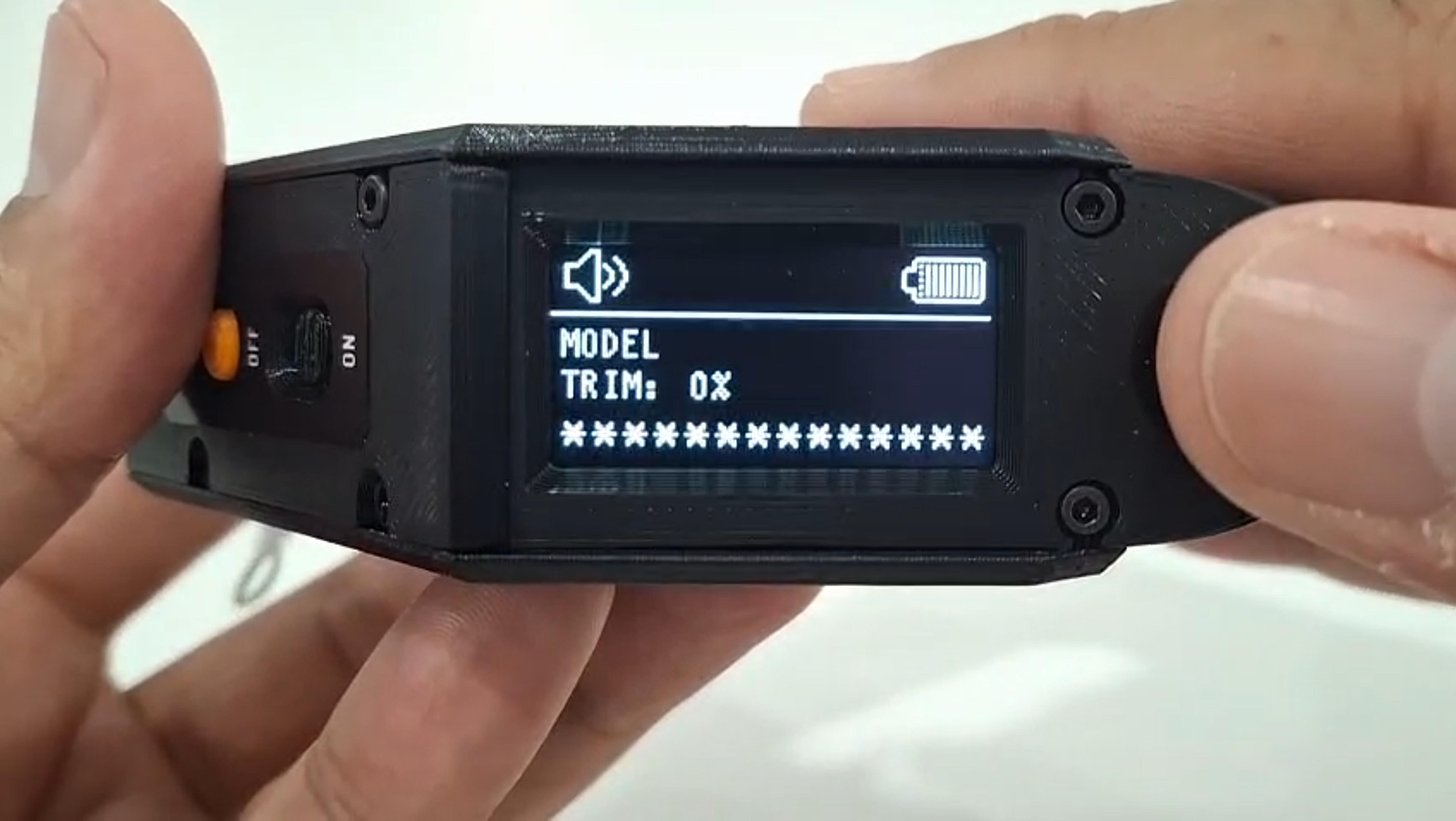
The home screen displays basic information about the handle and the currently selected model.
At the top bar, you’ll find:
* **Top left corner:** Status of sound and haptic alerts (enabled or disabled)
* **Top right corner:** Battery status, shown with an icon
Just below the bar, you may see alert messages related to the selected model, such as:
* Model not bound
* Failsafe not set
Next, the **current throttle trim value** is shown.
At the very bottom of the screen, you’ll see the **name of the selected model**. When no model is selected, `**************` will appear as the model name.
### Throttle Trim
The throttle trim is a value between **0% and 100%**, defining how much throttle is applied when the trigger is fully released.
* By default, it’s set to **0%** and automatically resets when the device is turned off/on or when switching models.
* You can adjust the trim using the `←` and `→` buttons on the navigation cursor.
* Each time you change the value, a beep will sound.
* Reaching the minimum or maximum limit triggers a **double beep with vibration**.
{% embed url="" %}
{% hint style="info" %}
Adjusting the throttle trim allows you to set a constant minimum speed for the model without needing to hold the trigger down. This can be useful in specific flight phases—such as preventing stalls by maintaining a guaranteed minimum speed.
{% endhint %}